Please select whether you are a buyer or supplier to find resources and articles specifically tailored to your needs.
How to register
Instruction on how to create an account for the Biomaterial Marketplace
1. Access AdminBase
Access the AdminBase via https://biomaterialmarketplace.adminbase.com.
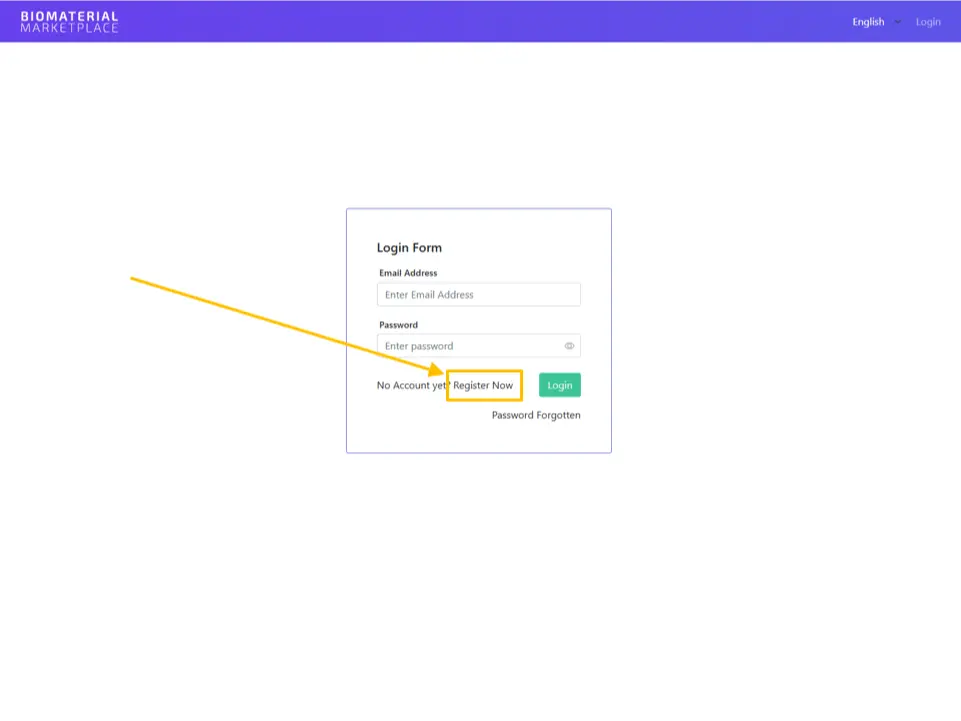
2. ‘Register Now’
Click on Register Now or access the registration page directly via https://biomaterialmarketplace.adminbase.com/en/auth/register/start.
3. Enter email address
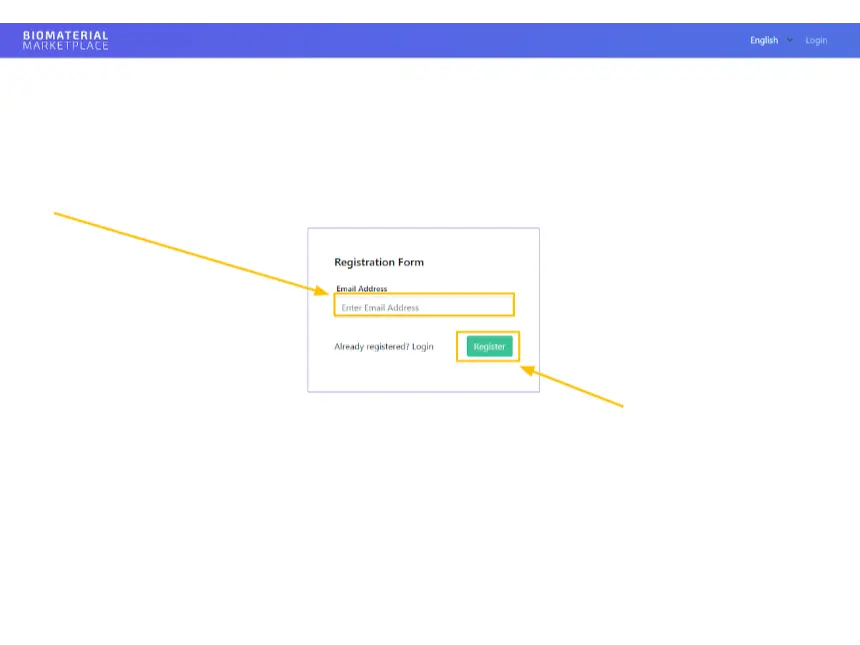
Enter a valid email address and click on the Register button afterwards.
Please note: In case you want to change your email address later on you have to contact the support team here.
4. Verify account
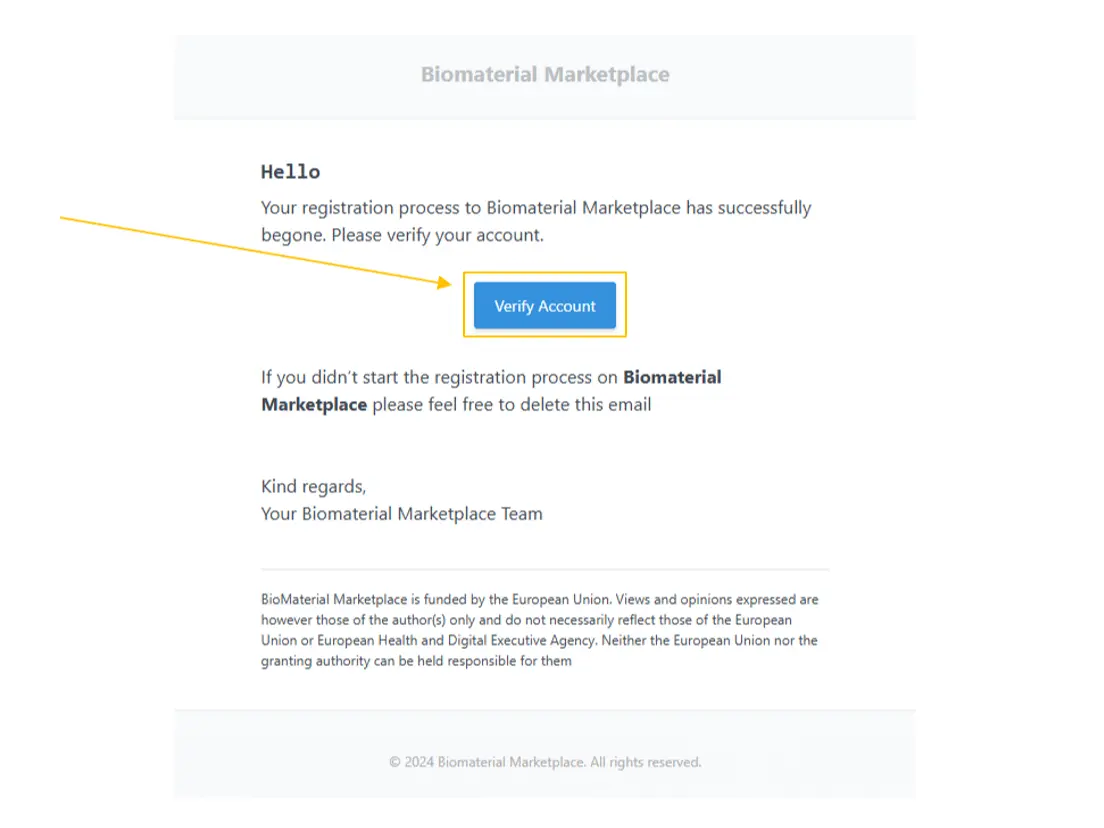
You should now receive an email to verify your registration. Once you receive the email, click on the Verify Account button in the message to continue the registration process.
5. Provide company information and password
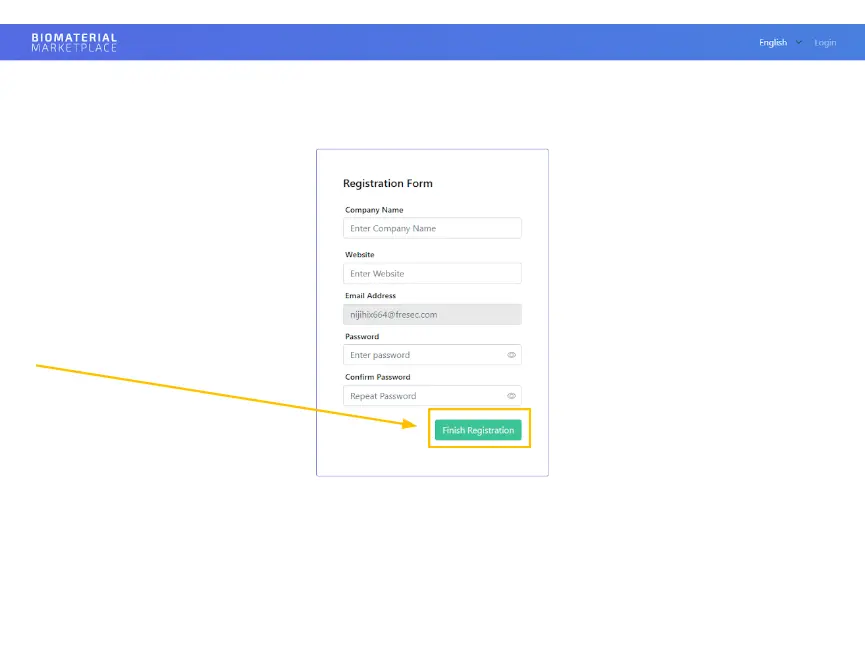
Continue the registration process by providing company information and choosing a password. Click on Finish Registration afterwards to finish your registration.
6. Login
After the redirection to the login page, log in with your email address and the chosen password. You should also receive a confirmation email after you have finished your registration.
7. Provide additional information
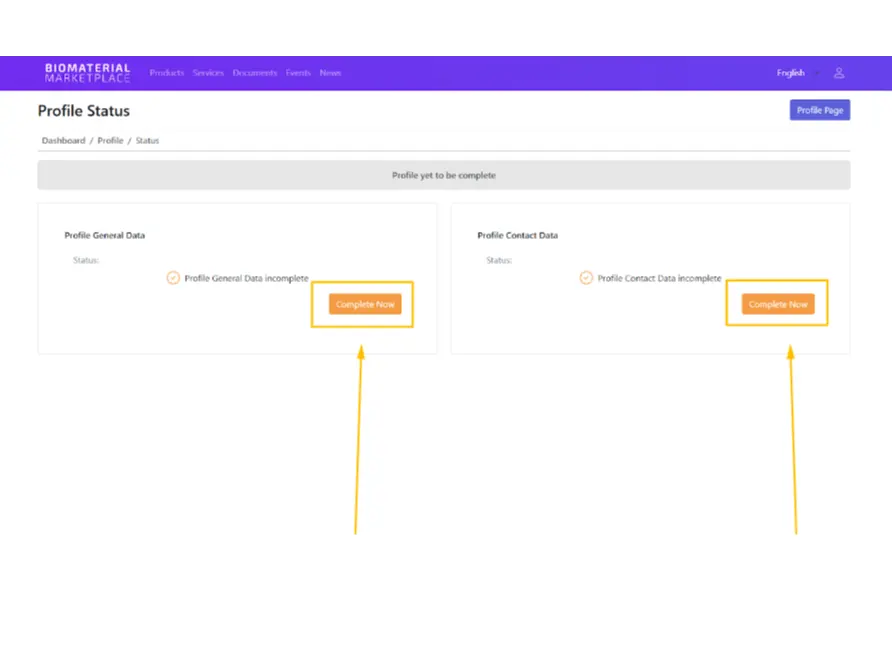
Once you are logged in for the first time, you have to provide some additional information about the organisation, including general and contact data. Click on the ‘Complete Now’ buttons to add the missing data to your profile.
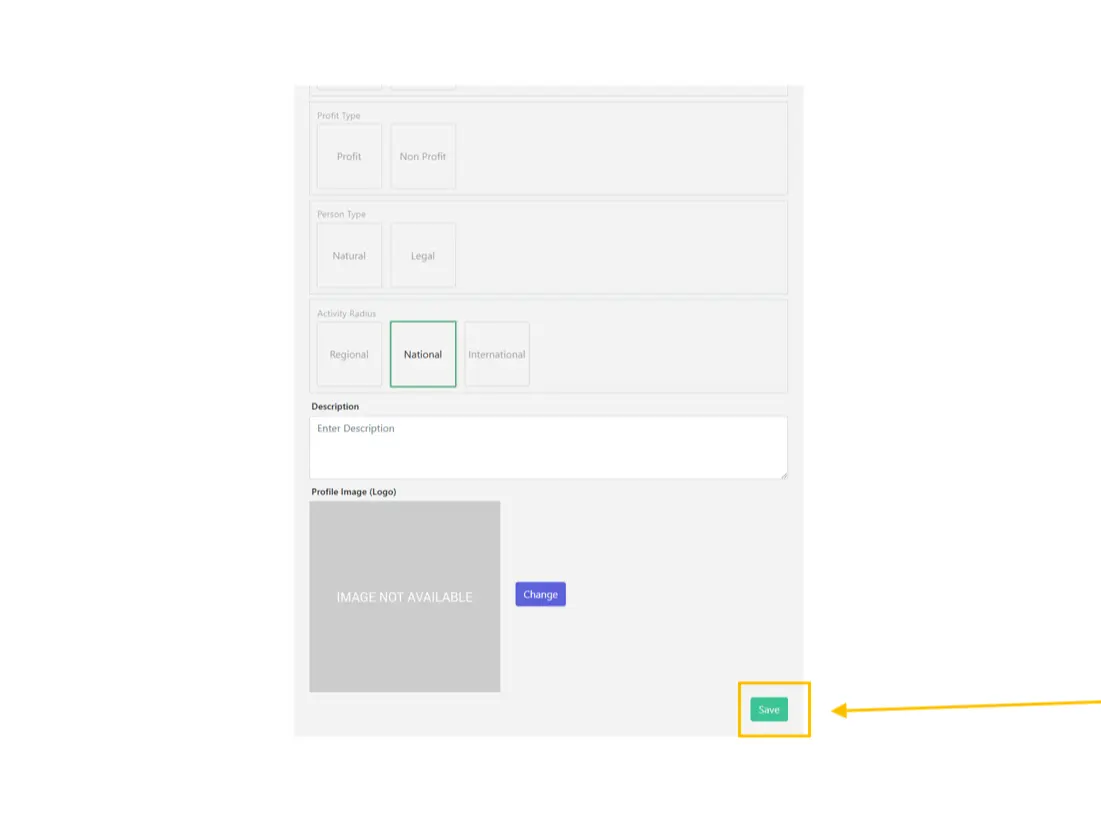
a) Add the missing general data and click the Save button.
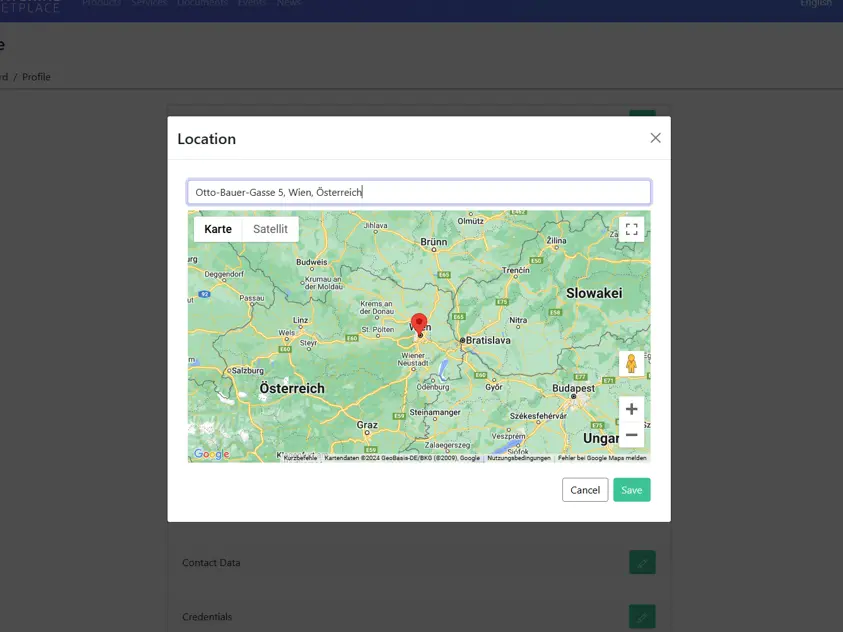
b) Add your contact data and click the Save button.
8. Registration complete
Your registration is now complete.
Is this article helpful?